
Infotainment (CAMRY-OS)
CAMRY-OS, written from scratch, on an ODROID H5 with an 8" touchscreen
Written from scratch and running on the bench computer in a portable test box. Navigation, vehicle data, climate, media, games and settings all work on the bench; the car-side hardware comes later.
Anyone can swap a head unit
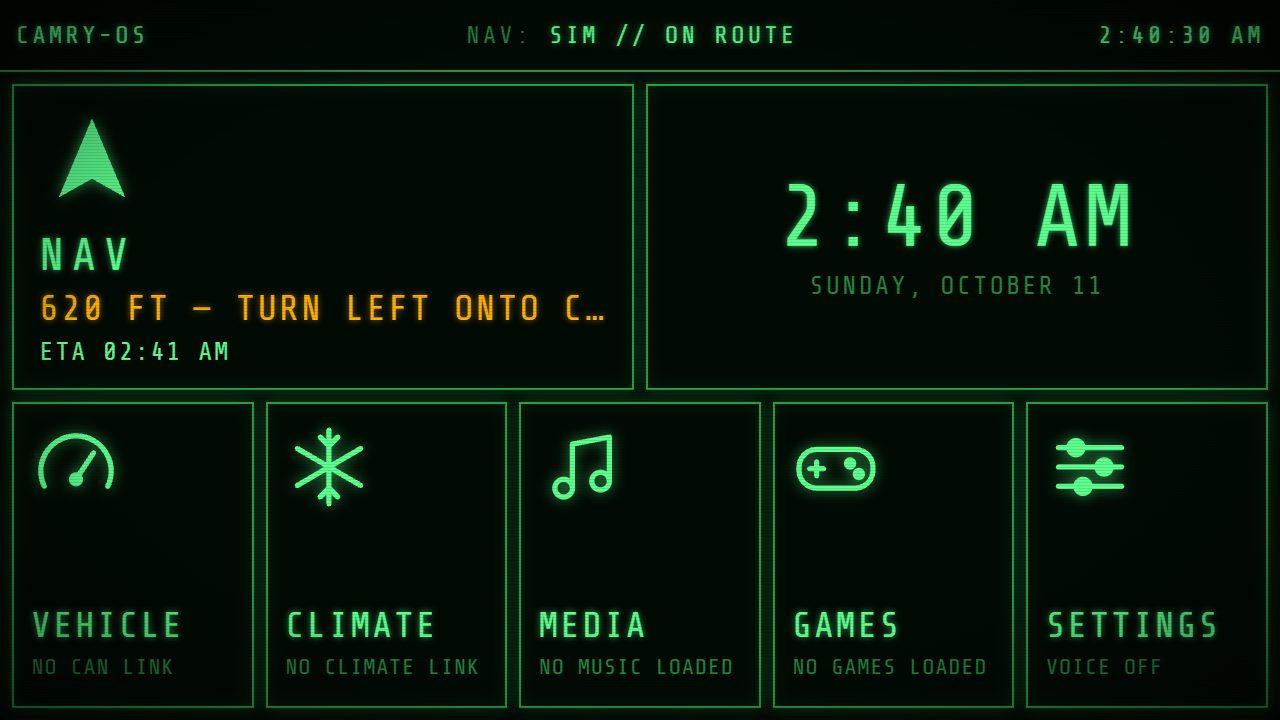
CAMRY-OS is an infotainment system written for this one car. It runs on an ODROID H5 mini PC with Windows 11 behind an 8" Xenarc touchscreen, laid out in a phosphor-green style.
What it does
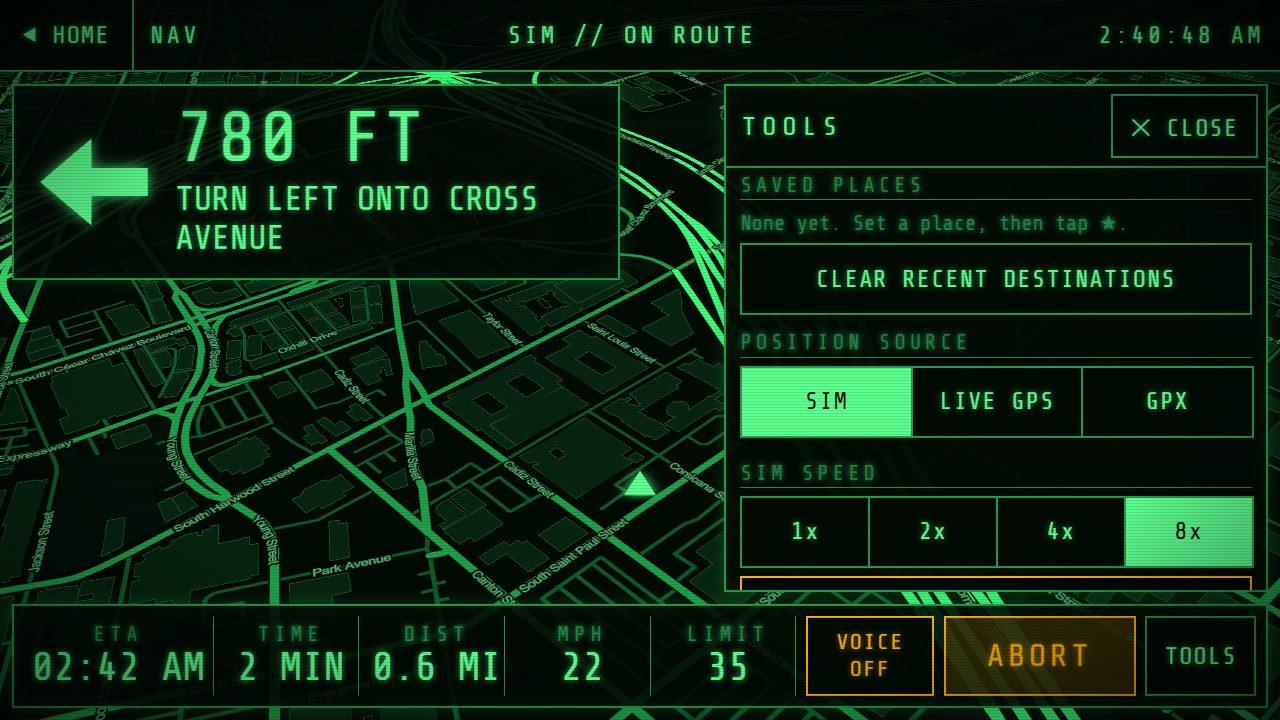
NAV: turn-by-turn directions with spoken instructions, offline maps, routing and address search for the whole US, saved places, and nearby search (gas, food, parts). It switches between online and offline data on its own.
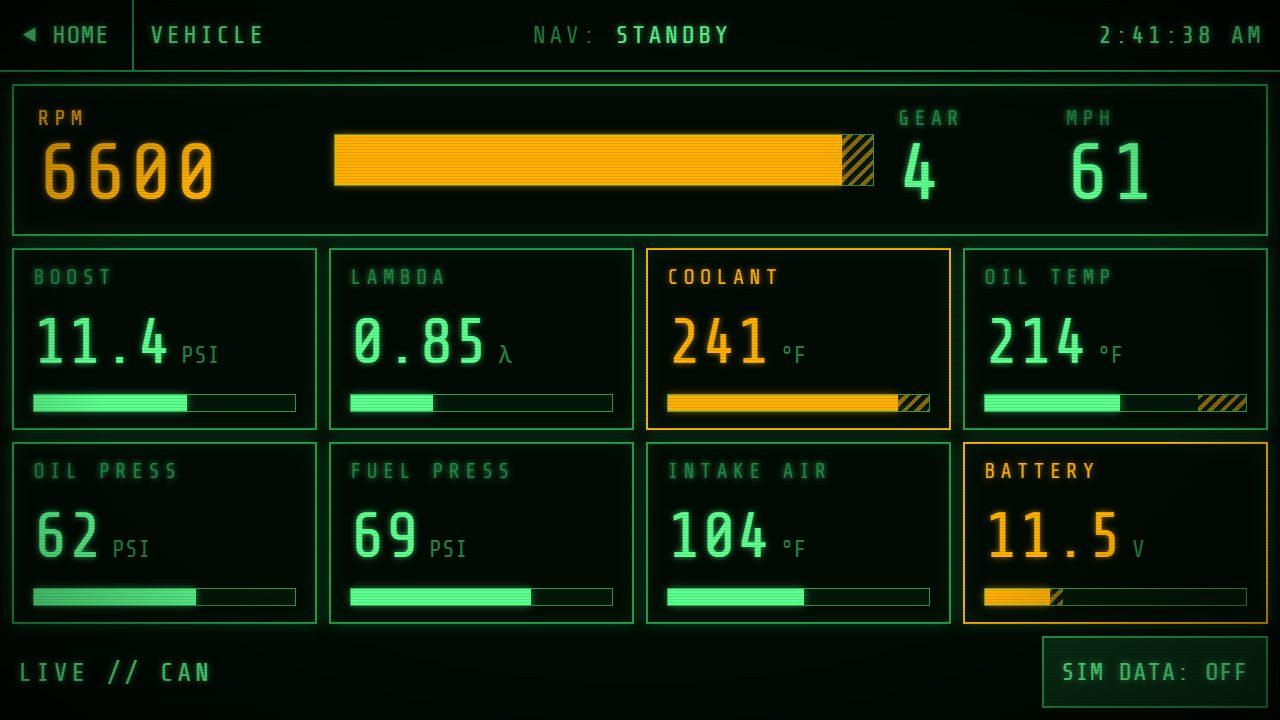
VEHICLE: engine and chassis readouts (RPM, gear, speed, boost, lambda, temperatures, pressures, battery) read off the car's CAN bus in listen-only mode. Values in their warning zone turn amber and show on every page.
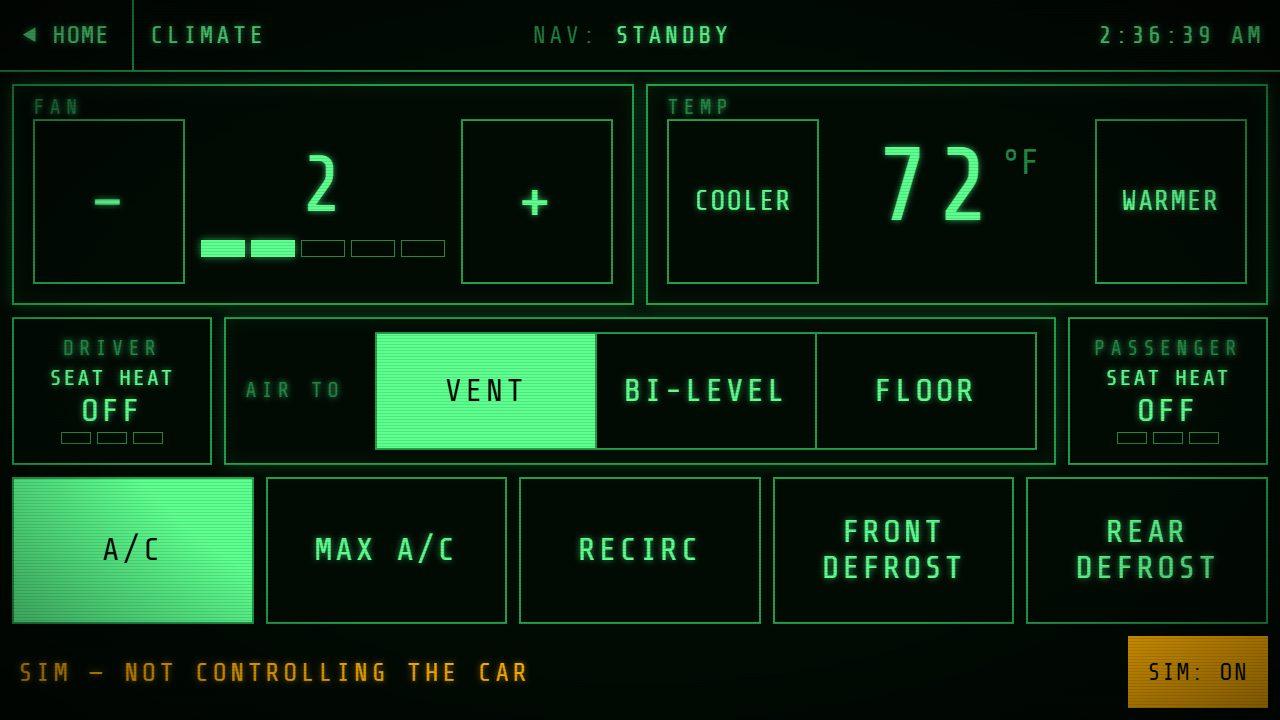
CLIMATE: fan, temperature, vent mode, A/C, recirculation, defrost and seat heat. It shows what the car reports back, not what was tapped, so it can never claim the A/C is on when it isn't.
MEDIA: local music, phone audio over Bluetooth, and streaming services, with steering wheel buttons and music ducking under directions. GAMES: retro games for passengers on a second screen, locked on the driver's screen unless the car is in Park. SETTINGS: voice, night dimming, clock, and a live status page for every helper.
Hardware around it
A USB hub, an LTE modem for data, a USB GPS receiver, a Bluetooth car-kit module for phone audio, and a Helix DSP for sound. Physical controls come from an Elgato Stream Deck Module 15 in the console: each key is a tiny screen, so the buttons change with the page.
Before it goes in the car, CAMRY-OS gets packaged as a single app that starts with the computer and behaves like an appliance.
Developed on the bench
The software is built and tested in a portable bench box that holds the same computer and screen. Version one is built and running. Version two adds a battery and USB-C charging; its design is complete and published openly.
Parts list
What it takes, and where each part stands. Prices are left off; part numbers aren't.
Computer
- ComputerODROID H5, Windows 11Bought
- WiFi and BluetoothIntel AX210Bought
- USB hubStarTech ST7300USBMEBought
- GPSVK-162 USB receiverBought
Display
- TouchscreenXenarc 892GFC, 8"Chosen
Controls
- Control panelElgato Stream Deck Module 15Bought
Connectivity
- LTE modemQuectel EM060KChosen
- Phone audioFeasycom FSC-BT1026C Bluetooth car-kit moduleChosen
Software
- CAMRY-OSWritten from scratch: NAV, VEHICLE, CLIMATE, MEDIA, GAMES, SETTINGSIn progress
Bench
- Bench box V1Portable test box with screen, computer and hubBuilt and runningBuilt
- Bench box V2Battery-powered version with USB-C chargingDesign completeTo fabricate
Photos
Progress
Bench box V2 in design: battery power
The next bench box runs on its own battery and charges over USB-C like a laptop. It's still being designed, including a custom charger board and a 12 V converter board. CAMRY-OS already reads the battery's charge level, ready for when it's built.
Bench Box V2 design files on GitHub ↗GPS working, and it runs like an appliance
The USB GPS receiver is giving live position on the bench. CAMRY-OS now starts full screen with its own icon, so it behaves like the car's system rather than a web page. Before it goes in the car, it gets packaged as a single app that starts with the computer.
Games for passengers
The GAMES page runs retro games on a second screen for passengers, with save states and controller layouts. The driver's screen locks games out unless the car is in Park.
Physical controls: a Stream Deck beside the shifter
Instead of a BMW iDrive knob, an Elgato Stream Deck Module 15 sits in the console. Each key is a tiny screen, so the buttons change with the page. It's working with CAMRY-OS on the bench, in a printed case that hangs on the bench box.
Bench box V1 built and running
A portable test box holding the touchscreen, the ODROID H5 computer and the USB hub, with intake and exhaust fans and a handle. Designed in Fusion 360 and 3D printed in the shop. It's how CAMRY-OS gets developed and tested before there's a car to put it in.
The bench computer is up
The ODROID H5 that will run the infotainment is set up with Windows 11, WiFi and antennas in a printed case.
Touchscreen climate control
Climate moves onto the touchscreen, with a few physical backup buttons, run by a custom HVAC controller board. The CLIMATE page shows what the car reports, not what was tapped, so it can never show the A/C on when it isn't.
Offline everything
Maps, routing and address search all work with no signal, covering the whole US. With a connection it switches to online data automatically. Media gets local music, phone audio and streaming, with music turned down while directions are spoken.
CAMRY-OS is born
The home screen and the first pages (navigation, vehicle data, media, games and settings) built in a day, laid out for the car's touchscreen in a phosphor-green style.